
 Back to FAQs
How can we upload the candidate profile for the posted Job?
- First select the job by going to the Jobs Section, in which you want to upload a candidate profile.
- Click on the view job to upload the candidate profile.
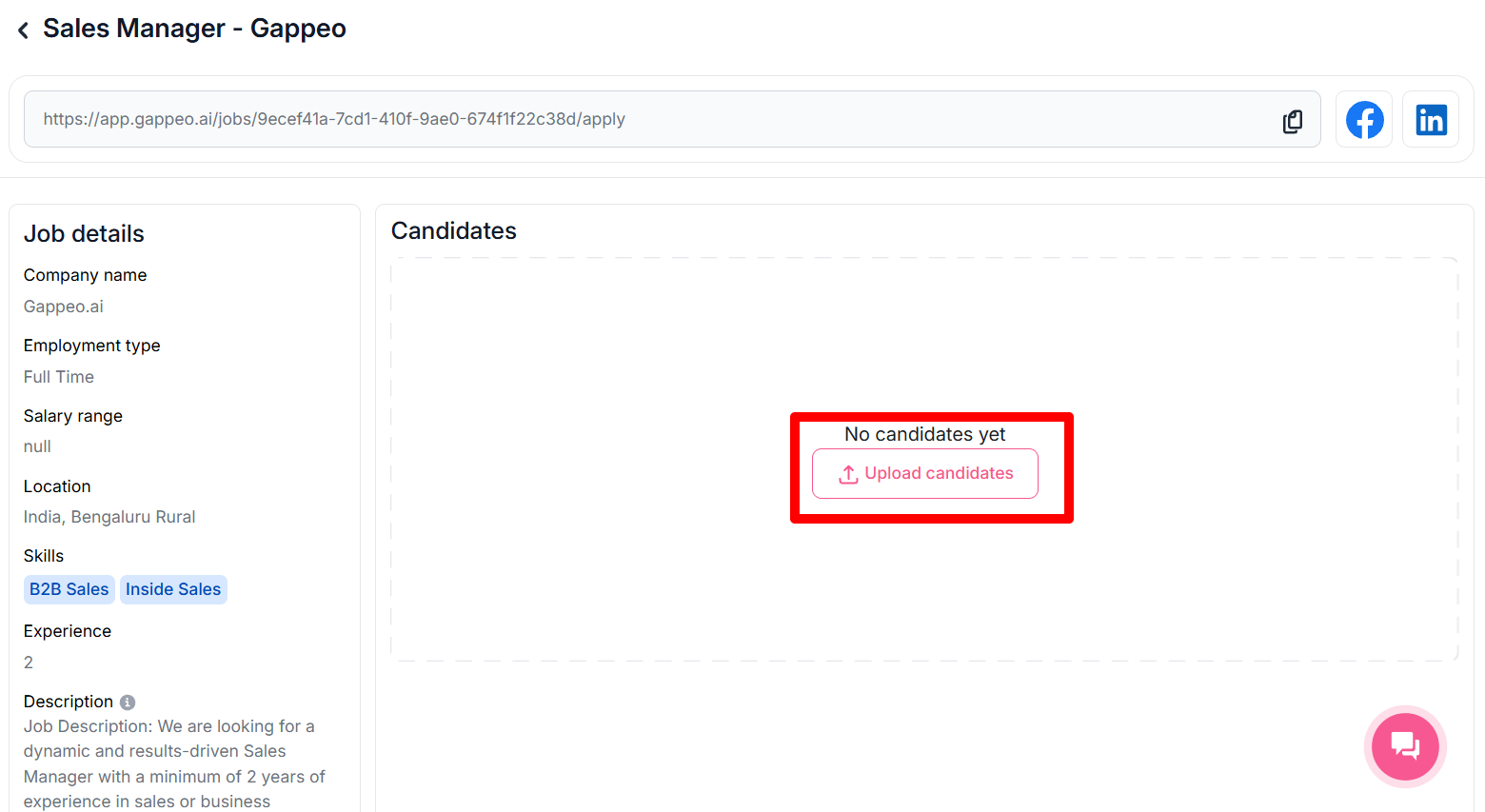
- Once you click on the Upload Candidates, you will have 2 options to upload candidates profiles.
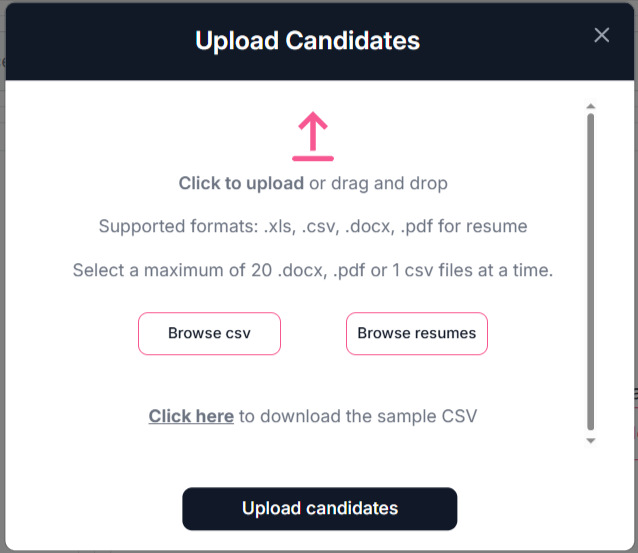
- You can upload candidate profiles using either of the following methods:
- Upload via CSV File
- Upload Resumes (PDF/DOCX)
If you have candidate details in a CSV format, you can upload them directly by clicking the “Browse CSV” button. Need a sample format? Click on the “Click Here” button to download the sample CSV file.
Note: In CSV, only the basic details of the candidate are uploaded like their name, email address and phone number. Once you have uploaded these details you also need to upload the resume then only the candidate will be considered for the next round of interview.
If you have resumes in .pdf or .docx format, click on the “Browse Resumes” button. You can upload multiple files—up to 20 candidate profiles at a time.
- Once you have uploaded the profiles using either method, click on the “Upload Candidate” button. All selected profiles will be added to the respective job posting.
Note: Once you have uploaded the resume, it will take around 30 seconds to scan the resume and do the scoring of the candidate. We recommend you will for around 30 seconds then the candidate will show up in the list of candidates.
