
 Back to FAQs
How to change the company profile in Gappeo.ai?
- First of all login to your account using your credentials.
- Once done, On the bottom of the screen, you will see your name and designation.
- Next to it, click on the 3 dots.
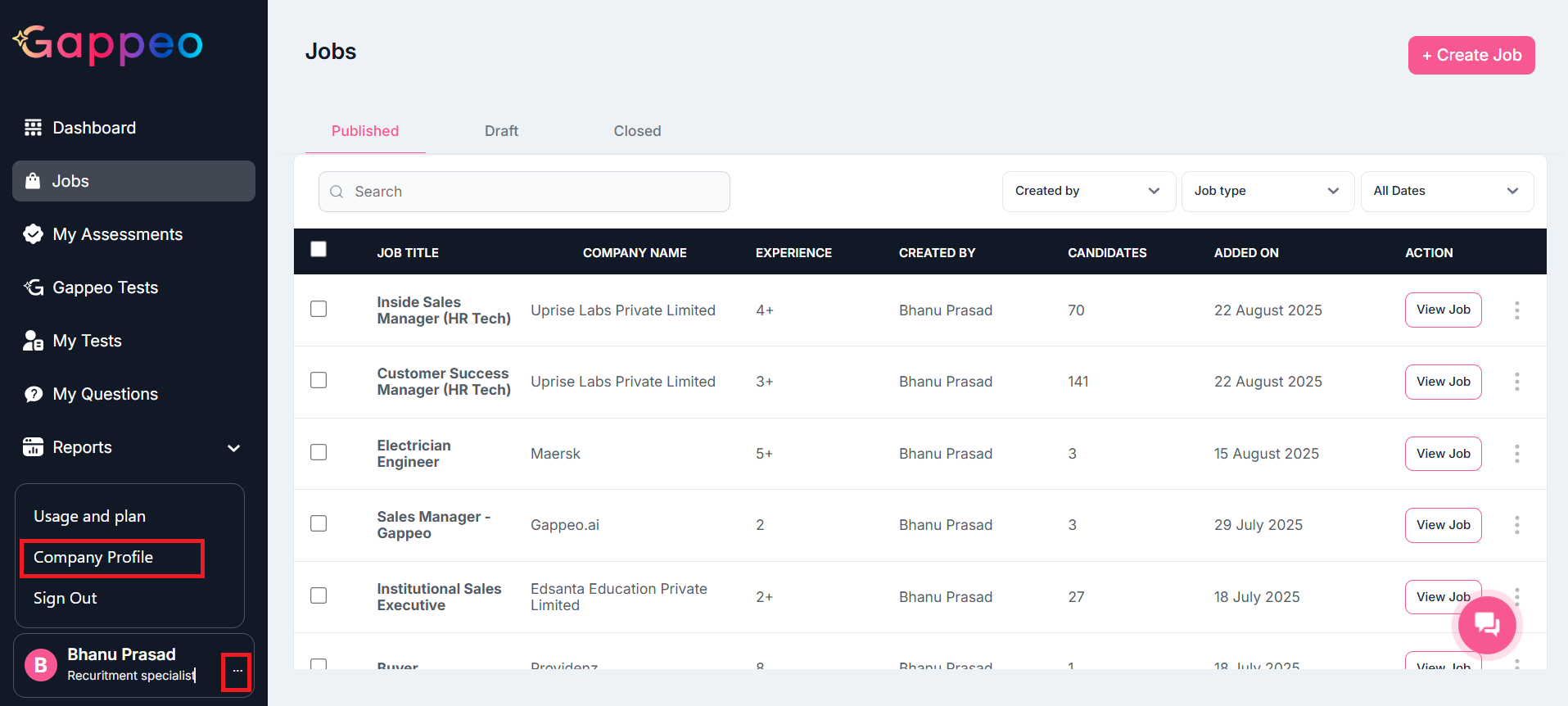
- Once you click on that, you will get 3 options as shown above. Click on the company profile option.
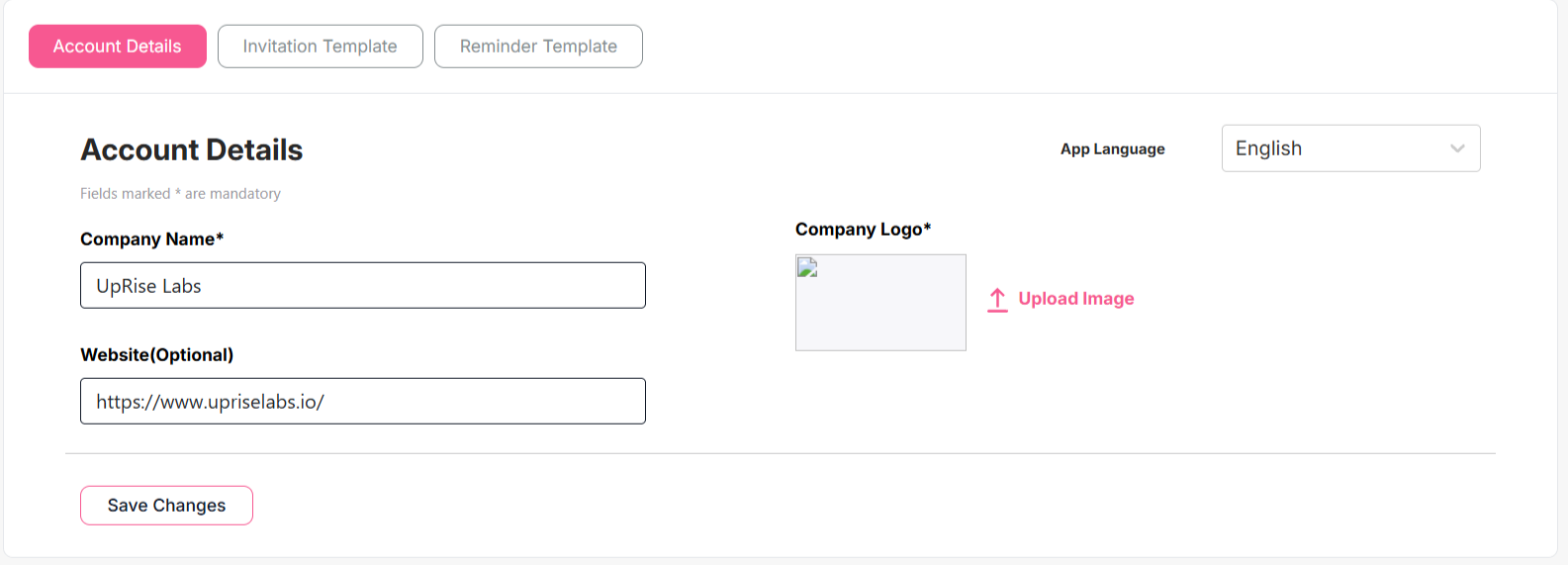
- You will see your company’s current details. You can change the details as per your need. Once done click on the Save Changes button, the changed details will get saved.
