
 Back to FAQs
How to copy the link for a Job that is published?
- Go to the Job Section, go to the Published Section. Click on the View Job Button.
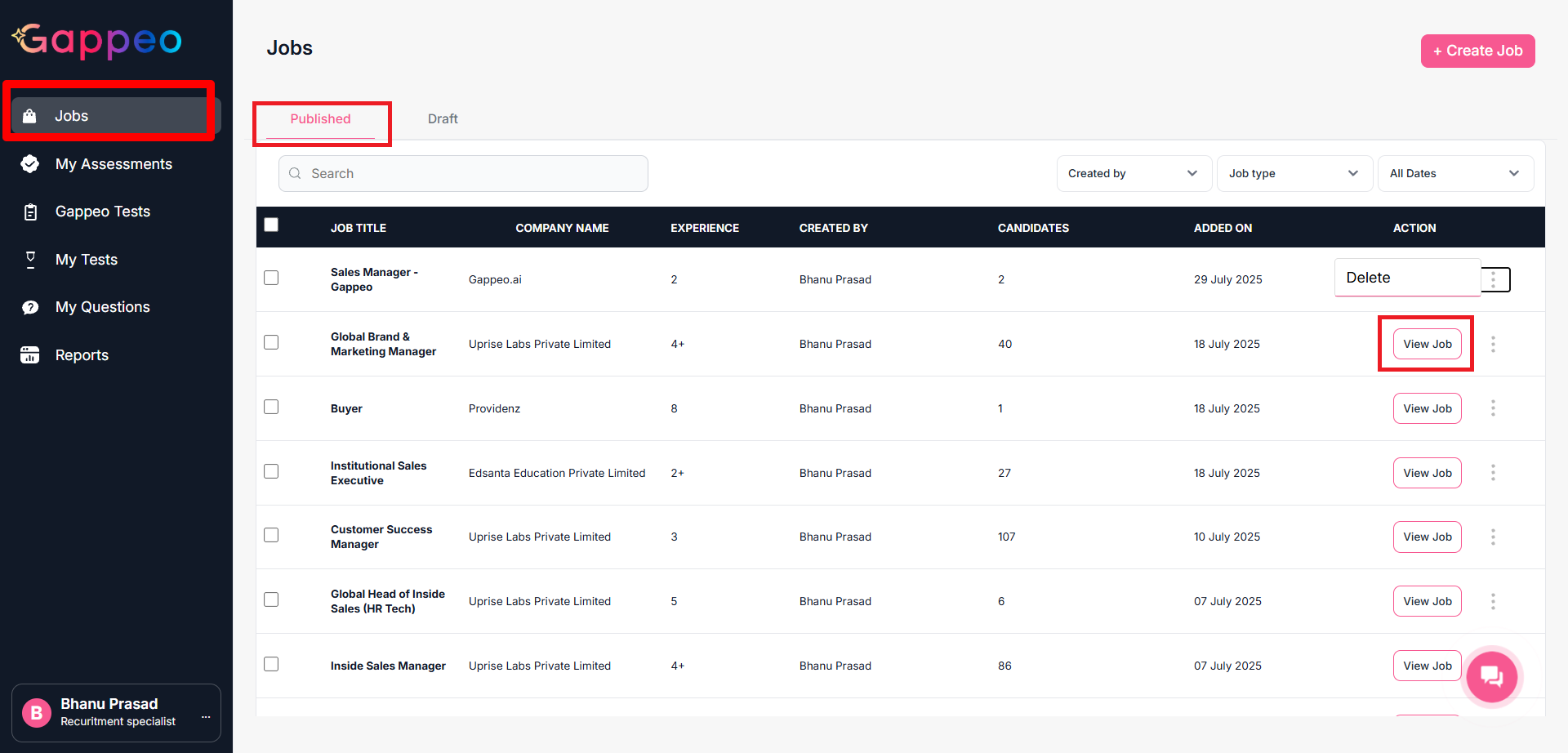
- Once you click on the View Job it shows the details along with links for the job as below:
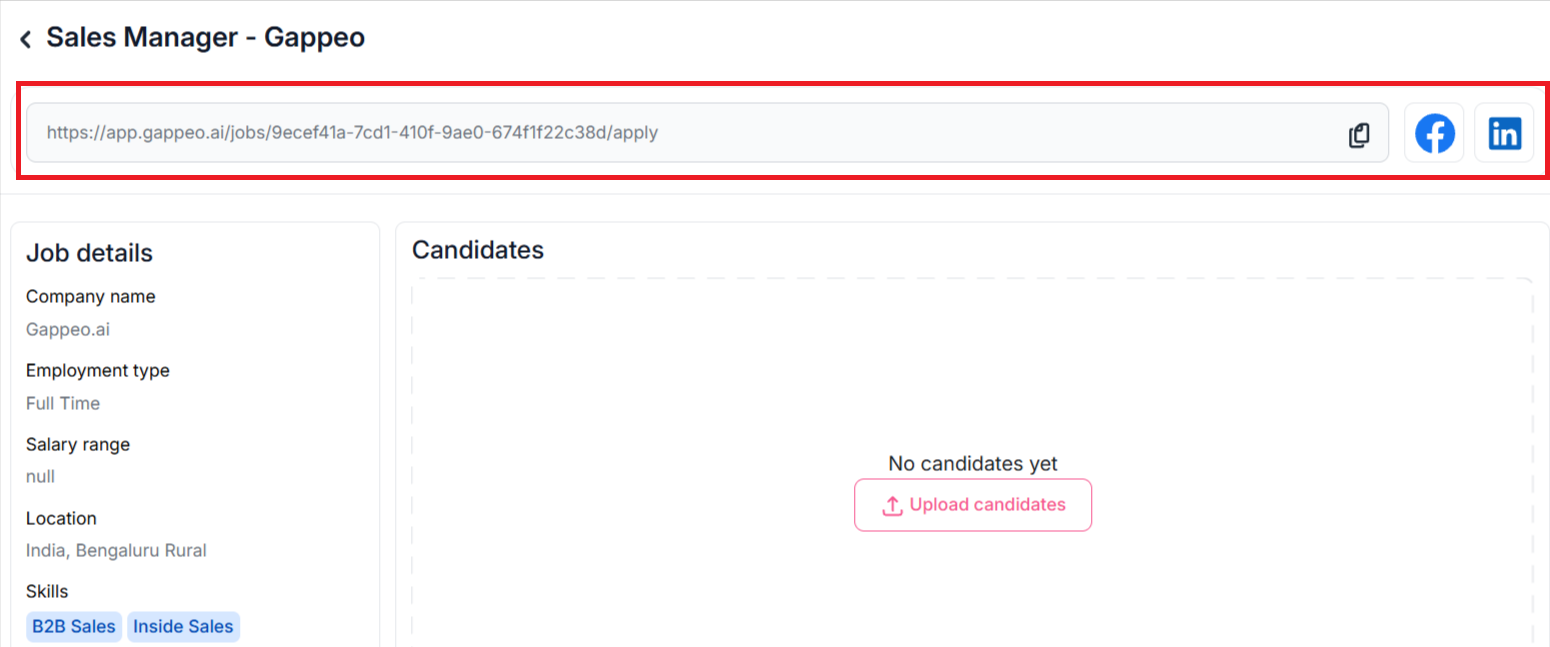
- Click on the copy icon to copy the link for the job. You can also share this link on Facebook and LinkedIn by clicking on Facebook and LinkedIn icons.
