
 Back to FAQs
How to create custom questions in Gappeo.ai?
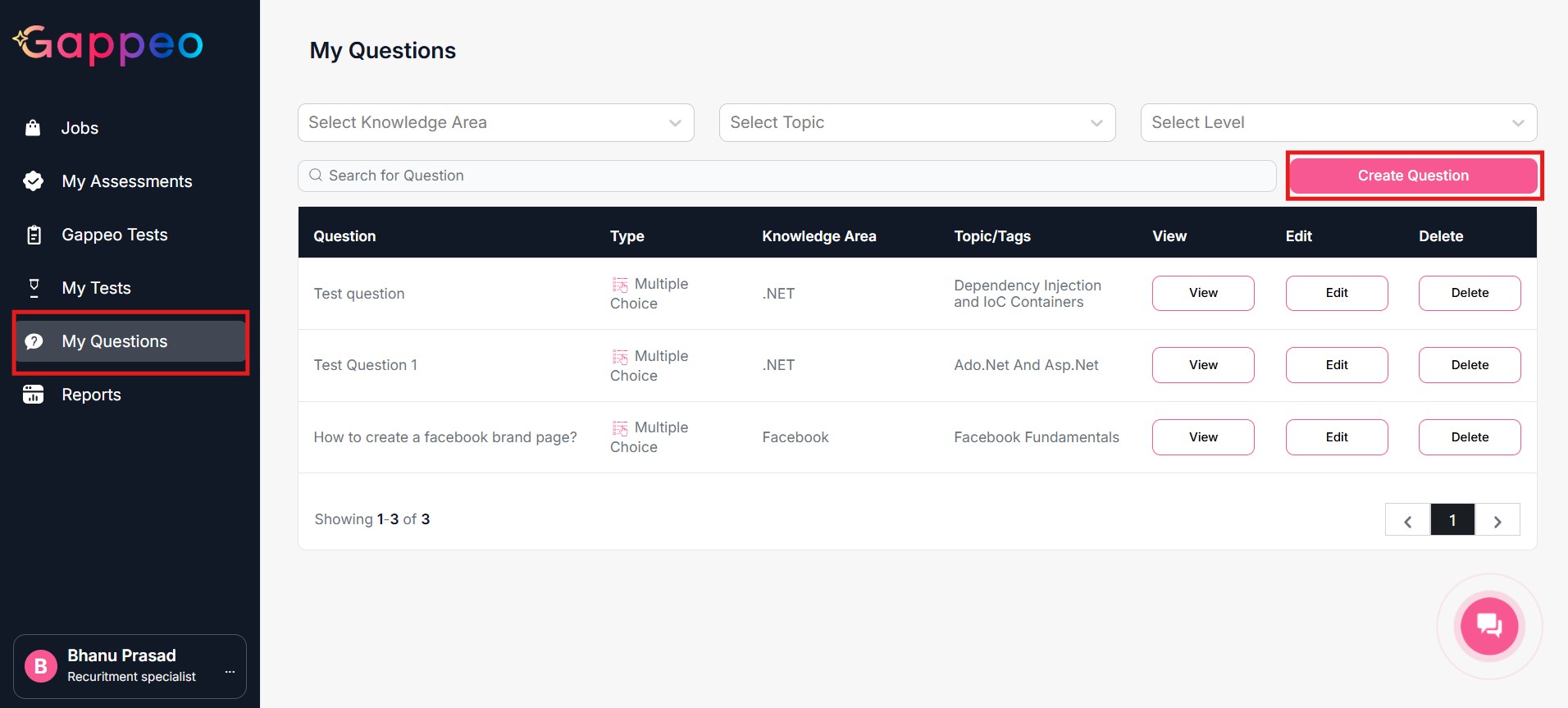
- To create custom questions in Gappeo.ai, you need to go to the My Questions Section and click on the Create Question button.
- Now you will get an option to create custom questions in Gappeo.ai
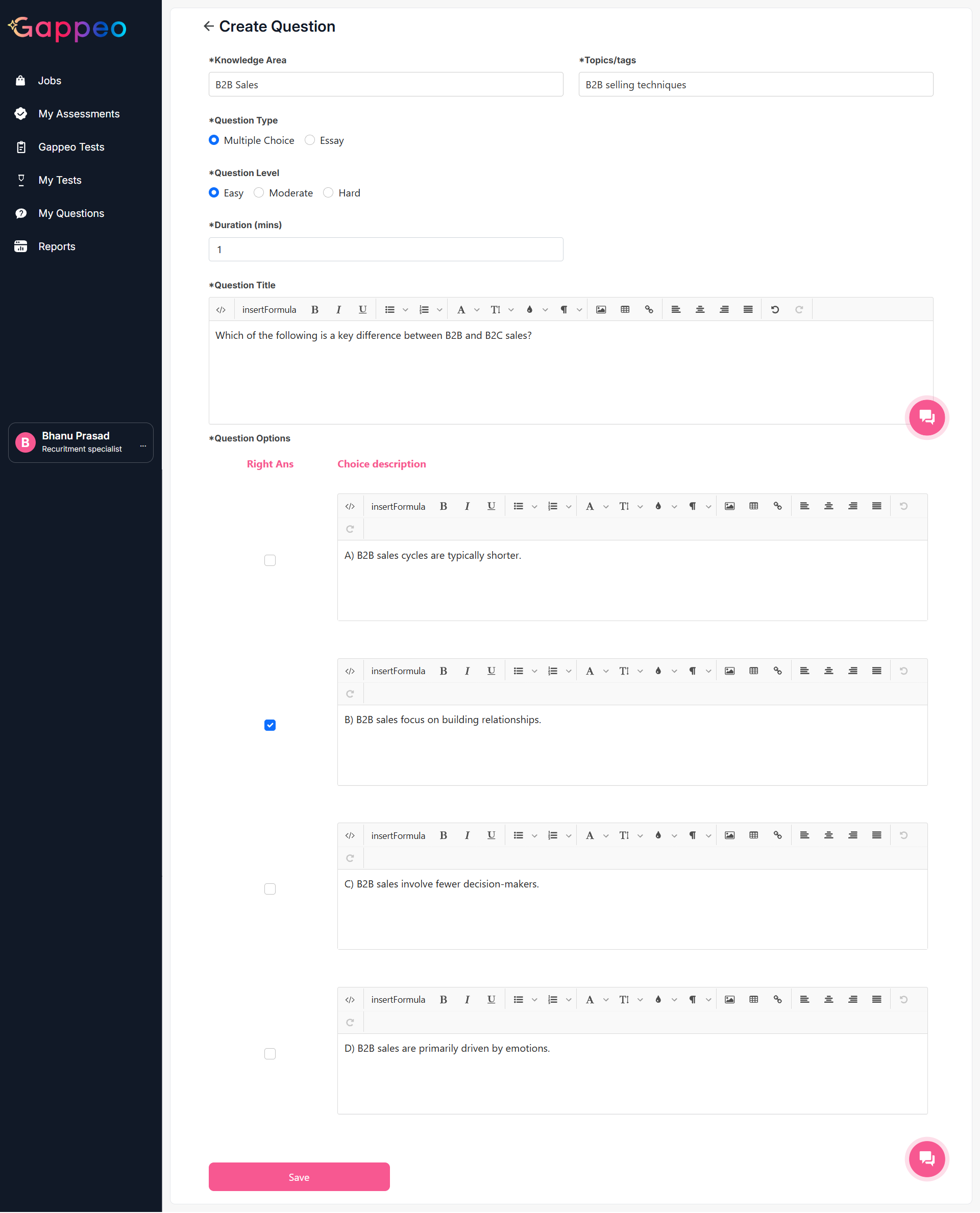
- To add a custom question, first all you need to select is the knowledge area. Once it is selected, you will get a list of topics based on that knowledge area, if you are not able to find a topic of your choice in that list. You can also add a topic of your choice.
-
Once you have selected the topic, now you need to select the question type. In Gappeo.ai, you
will be able to add 2 types of questions:
- Multiple choice
- Essay
- You need to select the Question Level: Easy, Moderate or Hard.
- Then you need to give a duration for the question.
- Lastly enter the question, with options and select the correct answer and click on the save button.
- By default, the score of each Multiple choice question is 1.
- Below is an example for the same.
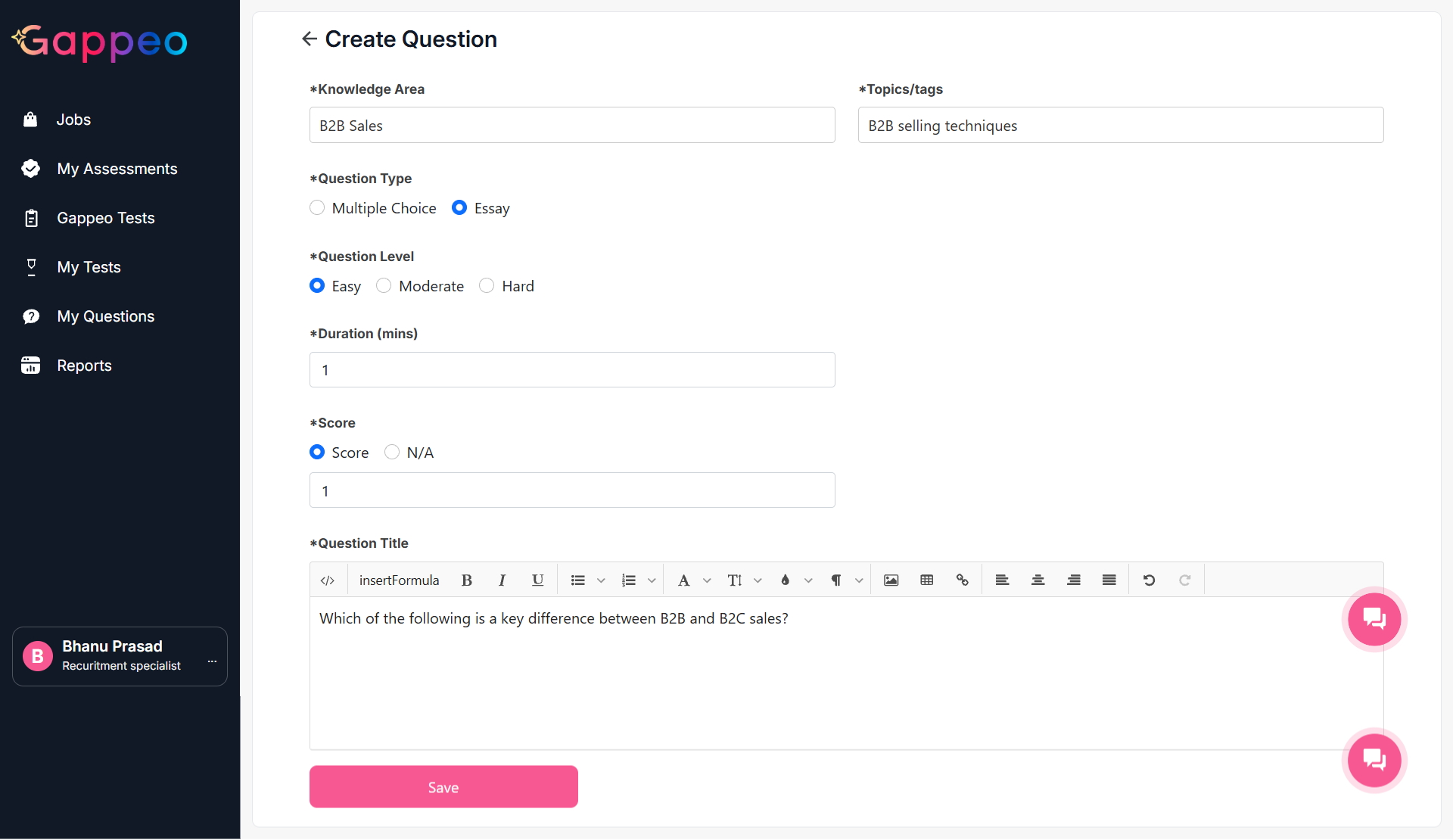
- In the same way you can add Essay type questions. To do so you need to select the Essay question option.
- All the options for Knowledge Area, Topic, Question Type and Duration remain the same here also.
- One more option is to add here it is the Score. You can add a score to each of the Essay type questions, there is another option N/A which means scores are not applicable for such types of questions.
- Below is an example of adding an Essay type Question
- Once done click on the save button.
Related questions:
What types of assessments are available
in Gappeo.ai? How to create assessments in Gappeo.ai?
How can I update the assessment tests
that got created during the Job Creation process?
How to view the
questions for any test that are available in Gappeo.ai?
How to create custom questions in
Gappeo.ai?
How to create custom tests and
assessments in Gappeo.ai?
How to create assessments in Gappeo.ai?
How can I update the assessment tests
that got created during the Job Creation process?
How to view the
questions for any test that are available in Gappeo.ai?
How to create custom questions in
Gappeo.ai?
How to create custom tests and
assessments in Gappeo.ai?
How to create assessments in Gappeo.ai?
How can I update the assessment tests
that got created during the Job Creation process?
How to view the
questions for any test that are available in Gappeo.ai?
How to create custom questions in
Gappeo.ai?
How to create custom tests and
assessments in Gappeo.ai?