
 Back to FAQs
What is a Stage in Gappeo.ai?
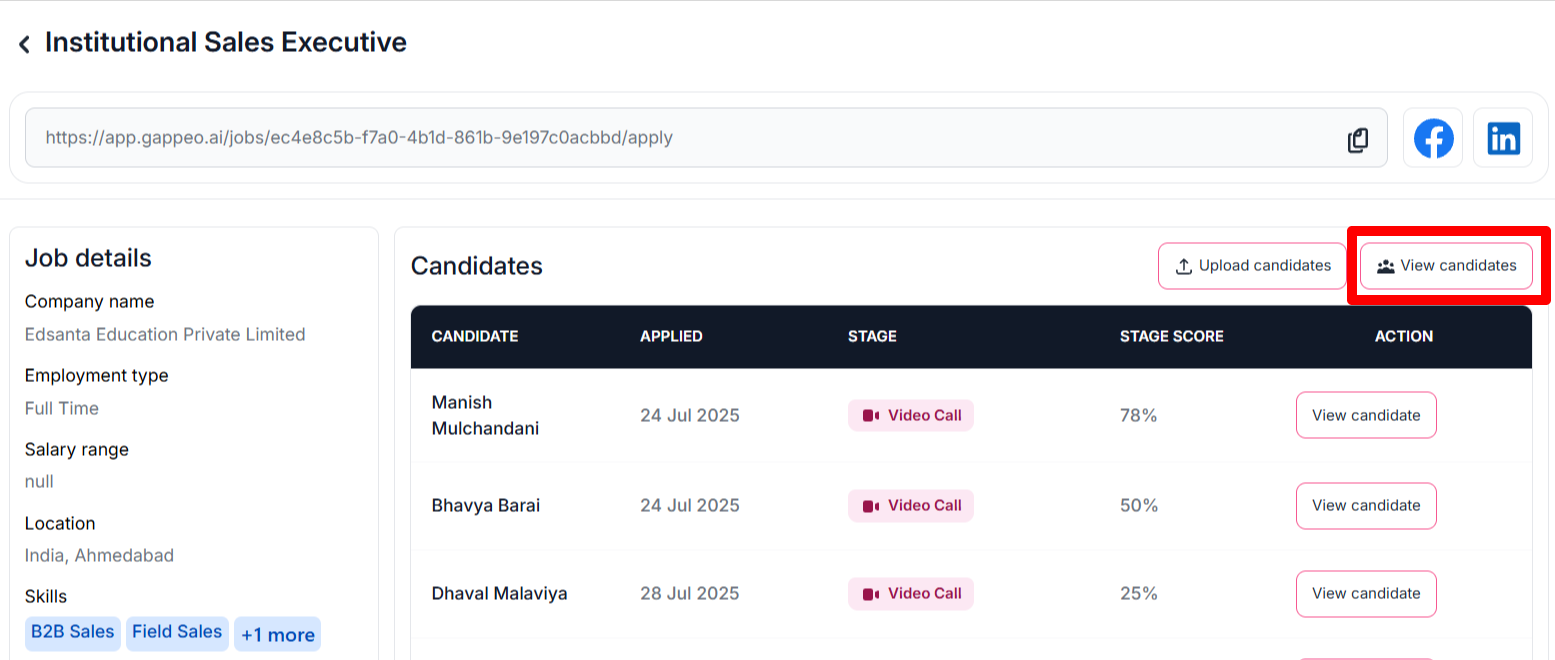
- To edit the candidate’s details you need to first select the job then click on the view job button.
- Now click on the View candidates options inside the job.
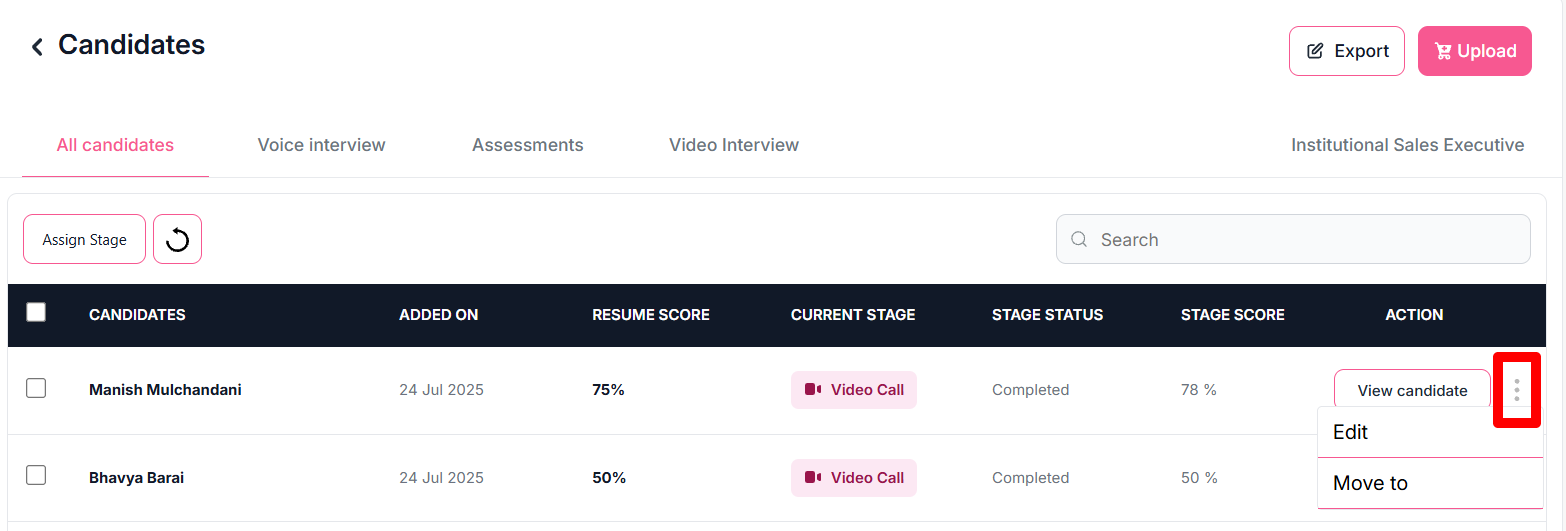
- Now you will see the list of all the candidates whose details are uploaded for this job. To edit the details of candidate, click on the 3 dots icon at the end as shown below:
- Once clicked you will get a screen to update the details of that selected candidate.
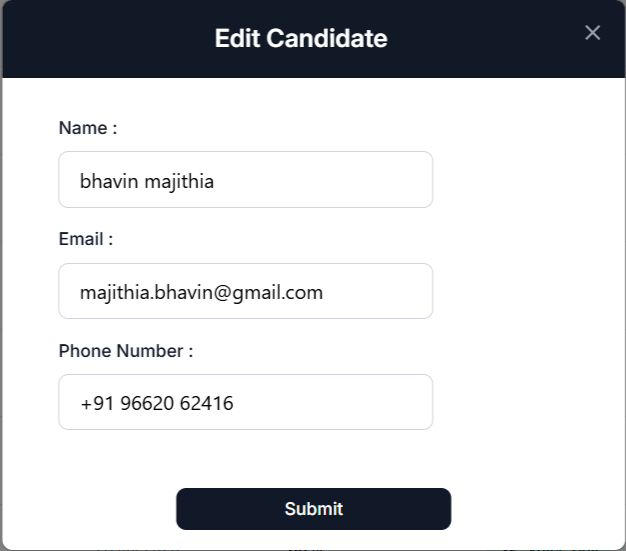
- Once you have updated the details of the candidate, just click on the submit button. The details for that candidate will get updated.
